
 Calculate
Read-only connection
A Magento API integration brings your orders into Kintsugi, which calculates what you owe, monitors exposure, registers you where you owe, and files and remits.
Kintsugi calculates sales tax at checkout on your Magento store in real time, tracks nexus in every state, and files and remits your returns.
Free exposure monitoring · Filing from US$75 (approx. £57) · No per-transaction fees
Rated 4.6/5 on G2 (58 reviews) · 7,000+ customers
Trusted by 7,000+ businesses


Kintsugi's tax engine calculates sales tax at checkout in real time, even across large or fast-changing catalogues.
Get alerted the moment your Magento sales cross a state's economic nexus threshold, before it becomes back tax.
Kintsugi registers you where you owe, files every return, and remits on schedule, from $75 per filing or registration.
Connect Magento Open Source or Adobe Commerce once. Kintsugi calculates tax at checkout and uses the same orders to monitor exposure and file every return.
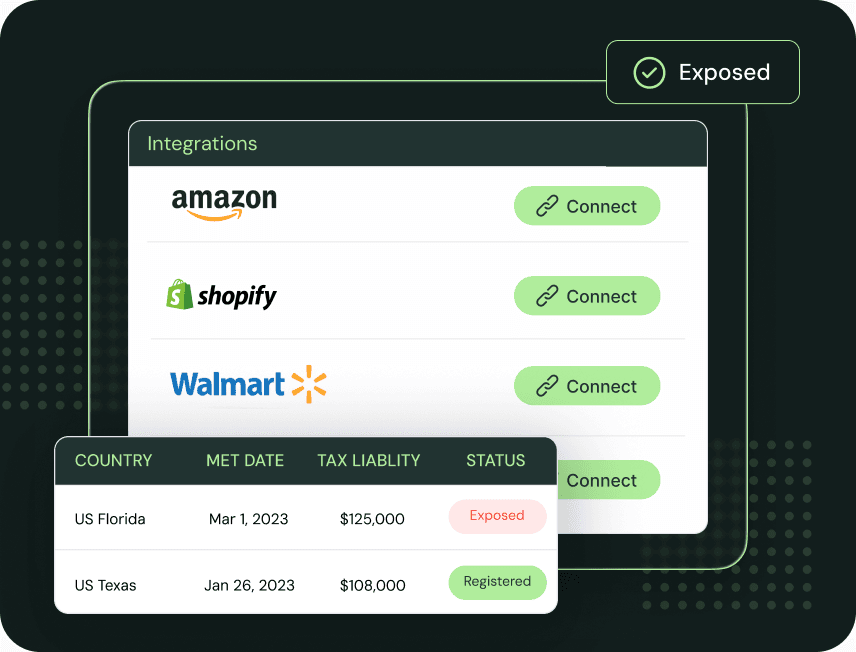
Connect Magento Open Source or Adobe Commerce with a Magento API integration. Customers, products, orders, and refunds sync automatically, and exposure is tracked across every US state and 100+ countries.
Install the Kintsugi Sales Tax plugin and Kintsugi's tax engine calculates sales tax at checkout, so customers pay the right amount the first time.
Kintsugi registers you where you owe, files every return, and remits on schedule, with audit-ready reporting however complex your catalogue gets.
| Synced | What Kintsugi does with it |
|---|---|
| Orders | Tracked against every state's economic nexus threshold and used to prepare your returns. |
| Products | Classified for taxability, even across large or frequently changing catalogues. |
| Customers | Matched to the location each sale is taxed in. |
| Refunds | Applied at the transaction level so filings reflect what you actually collected. |
A Magento API integration brings your orders into Kintsugi, which calculates what you owe, monitors exposure, registers you where you owe, and files and remits.
The Kintsugi Sales Tax plugin calculates sales tax at checkout on your Magento store in real time, from the same data Kintsugi files with.
Kintsugi classifies every product for taxability, so new SKUs are taxed correctly at checkout and on your returns.
Run Kintsugi across each Magento storefront. Our team helps you configure multi-store and custom setups.
Run Kintsugi alongside your current tool while you compare results, then move over on your timeline.
Track VAT and GST exposure across 100+ countries as you open new Magento storefronts.
Magento (Adobe Commerce and Magento Open Source) calculates tax from rules you build: product and customer tax classes combined with tax zones and rates you enter or import from a CSV. Since version 2.4.4, the Vertex tax extension is no longer bundled and has to be installed separately.
Keeping those rates current is on you, and so is compliance: Adobe's docs have merchants run the tax report for each period themselves.
Kintsugi's tax engine calculates sales tax at checkout in real time, and the same Magento orders drive nexus monitoring, registration, filing, and remittance.
Sources: Adobe Commerce taxes, Adobe Commerce tax rate import
Jared Stark
Founder of Incendico Fire Alarm Store
The setup was incredibly seamless and much faster than I expected, with clear guidance throughout the process. What really stands out is their support since it is easy to get in touch with someone quickly and the team is knowledgeable and actually helpful when you have questions.

April Walford
Operations Manager at JMXi
They corrected errors in our past returns, enrolled us quickly and efficiently, filed everything on time, and thoroughly researched any questions or concerns we had. Their customer service is excellent.

Mo Hartman
Staff Accountant at Searchspring
Having the visibility on the dashboard has been extremely helpful and the ease of being able to approve. It is very user-friendly and I can see everything I need in one place.