


Founders and finance leads
You shouldn’t need to master sales and use tax to understand where you stand.
Ask in the tools you already have open, and get your own numbers back.
- “Where am I close to a threshold?”
- “What’s due this month?”
Securely connect Claude, ChatGPT, or any MCP-compatible agent to your live Kintsugi account. Get answers grounded in your own nexus, filings, and transactions, and know that nothing can be changed from the chat.
Trusted by 7,000+ businesses


Built for trust
The connector gives your AI a window into your compliance picture and nothing more. That boundary is deliberate, so you get instant answers without giving an agent the keys.
 Look up your organization’s nexus, transactions, filings, and registrations
Answer in plain language, using your live numbers
Work from your Kintsugi account
 Change any data in your account
Register, file, or remit on your behalf
Take any action for you

The numbers behind every filing are still verified by Kintsugi. The connector adds a faster way to see them, not a way around them.
What it can see
Ask about any part of your account. Your AI picks the right tool and reads the answer straight from Kintsugi.

Your compliance picture at a glance.

Where you have it and where you’re getting close.
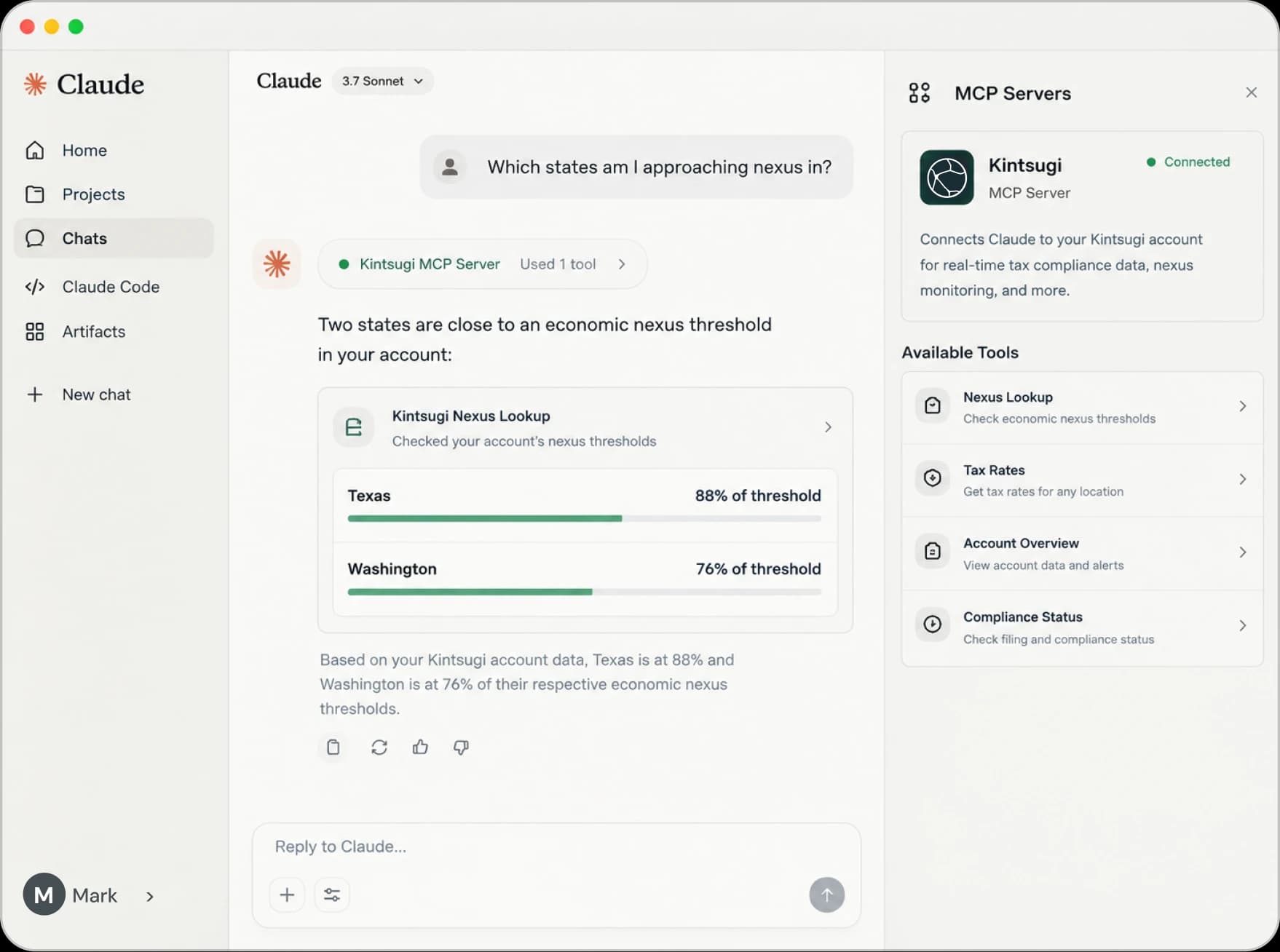
“Which states am I approaching nexus in?”

The sales your numbers are built from.

What’s filed, what’s coming, and what’s due.
“What filings are due this month?”

Your state and country registrations.

Your catalog and how each item is classified.

The billing, ecommerce, and accounting systems feeding Kintsugi.

The entities on your account.

The locations tied to your business.
The full list is in the MCP tool reference.
Setup
In your AI tool, choose Kintsugi as your connector or plugin.
Use the same credentials you use for the Kintsugi app. No new account, no API keys to manage.
Start a new chat and ask about your account. If your AI answers with your numbers instead of a general explanation, you’re connected.
Who it’s for
You shouldn’t need to master sales and use tax to understand where you stand.
Ask in the tools you already have open, and get your own numbers back.
Get a fast read on a client’s compliance picture without logging into another dashboard, and make their lives easier.
Where the action happens
The MCP server reads. Kintsugi does the work: monitoring exposure, registering, calculating, and filing, with tax experts verifying the result.

Get started with Kintsugi, connect your AI tool of choice.